
Today we're launching Auto-Rig — the new marquee feature of Kinetiq Engine. Drop in any humanoid mesh and it rigs itself, entirely in your browser. No bone-placing. No upload. No signup to try.
Rigging has always been the wall. You model a character you love, then you hit the part everyone dreads: placing joints by hand, painting skin weights vertex by vertex, chasing the bleed, and praying the elbow doesn't collapse when it bends. For most creators, that wall is where the project quietly dies.
At ThirdRez Labs, we tore the wall down and put a door where it used to be. Auto-Rig — proprietary Thirdrez Labs technology — takes a static mesh and hands you back a fully riggable character. And rigging is only step one: once your character can move, you stay inside the same studio and keep going — capture motion from video, animate by hand, retarget clips from anywhere, and export to any engine.
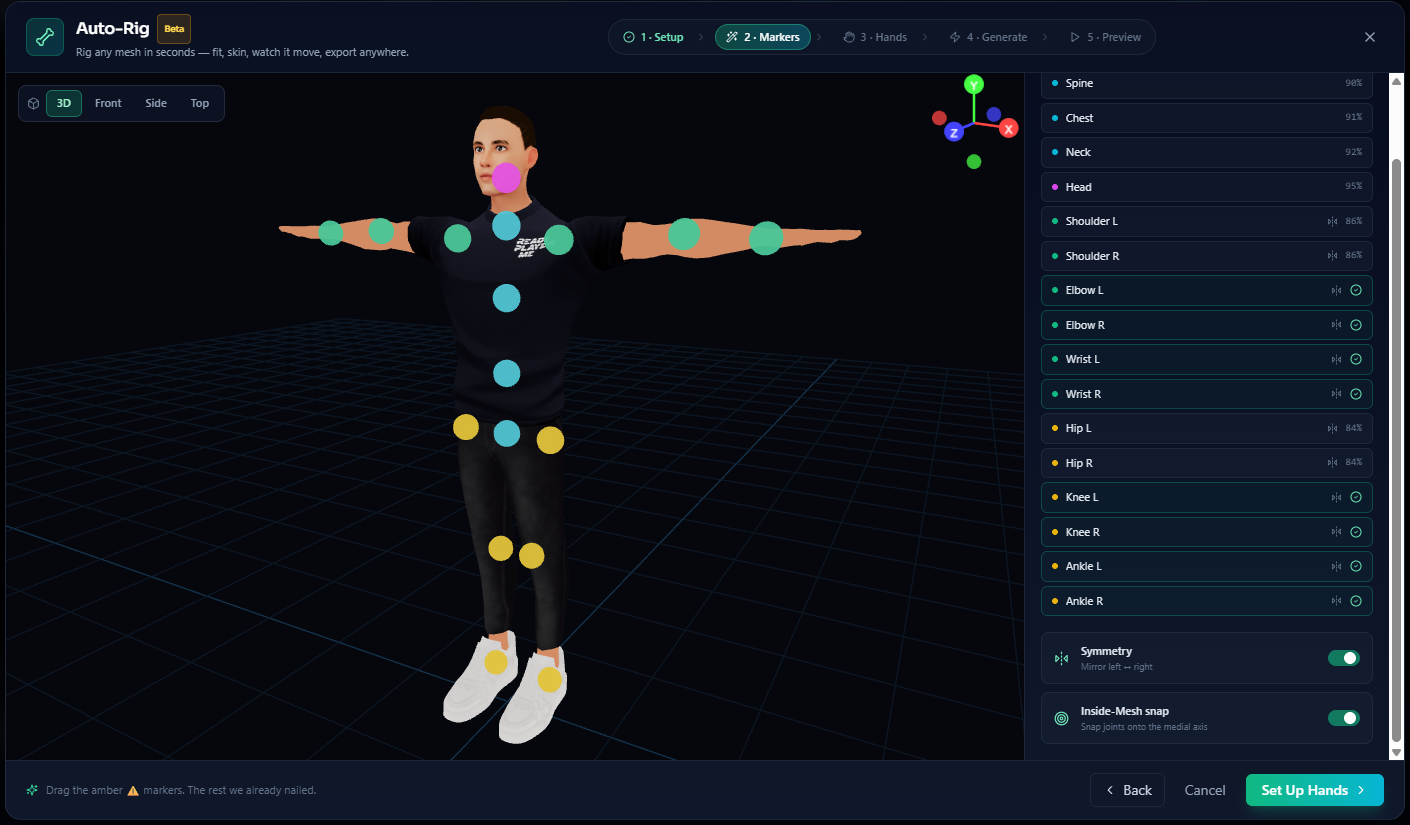
🦴 You never place a bone#
Here's the part that changes the game: you never hand-place a bone.
Drop a GLB, GLTF, or FBX humanoid onto the canvas and Auto-Rig auto-detects the joints itself. Hips, spine, shoulders, elbows, knees, ankles — it reads the geometry, finds the anatomy, and fits a clean canonical skeleton onto your mesh. Tools like Mixamo and AccuRIG still ask you to drop markers on the wrists, elbows, knees, and chin. Auto-Rig doesn't ask. It detects.
Mixamo and AccuRIG make you point at the joints. Auto-Rig finds them for you — that's the moat.
This is 100% client-side. There's no GPU server in the loop, no file leaving your machine, no account required to try it. Your mesh lands in the browser and the rig is computed right there on your own hardware.
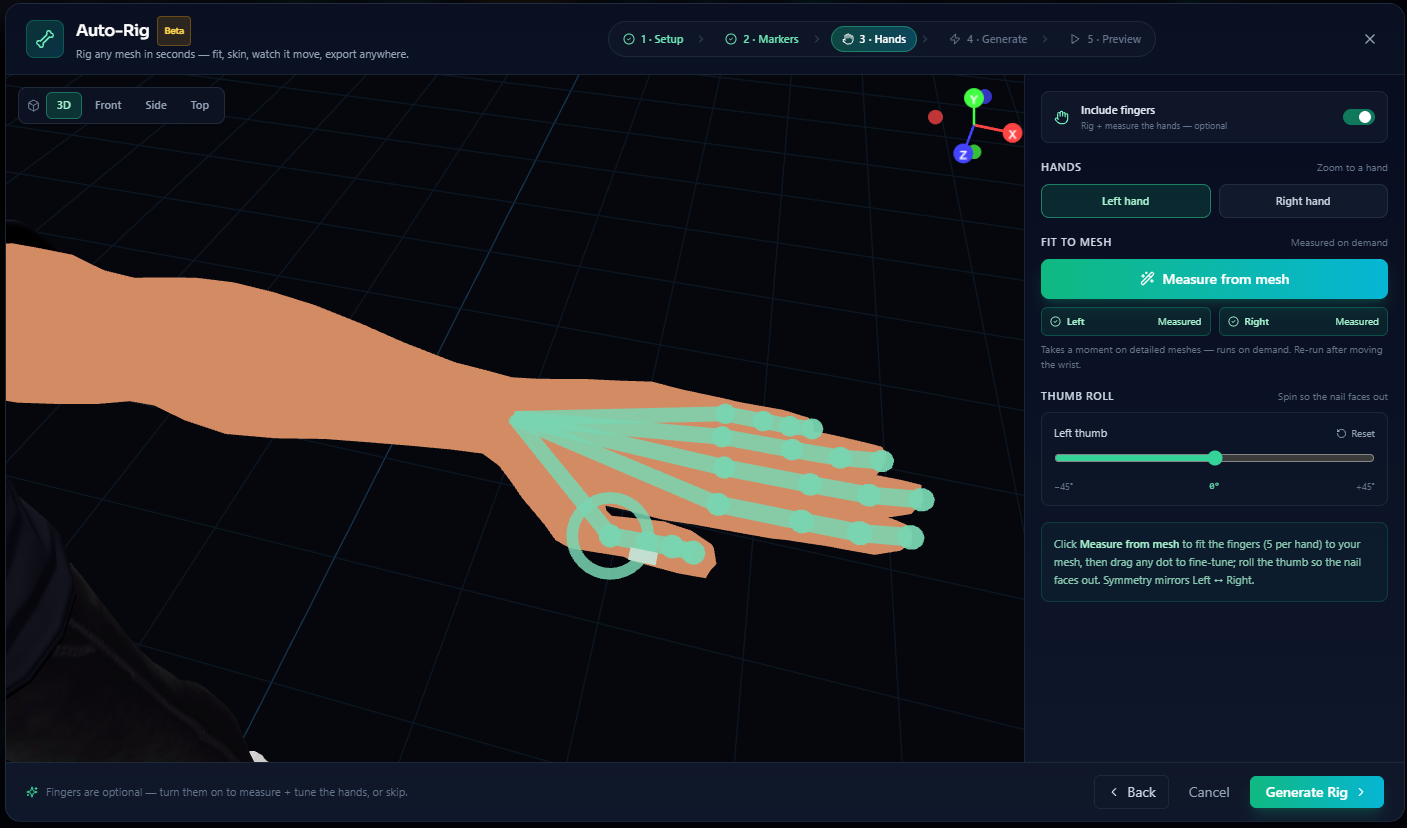
✋ Hands that actually work#
Most auto-riggers stop at the wrist. Hands are hard — they're where rigs go to fall apart.
Auto-Rig optionally measures the fingers from your real mesh. It marches the actual geometry of each finger, fits the joints to where your knuckles really are, handles thumb-roll (the twist that makes a thumb a thumb instead of a fifth finger), and mirrors left/right symmetry so both hands match. Turn it on when you need it; skip it when you don't.
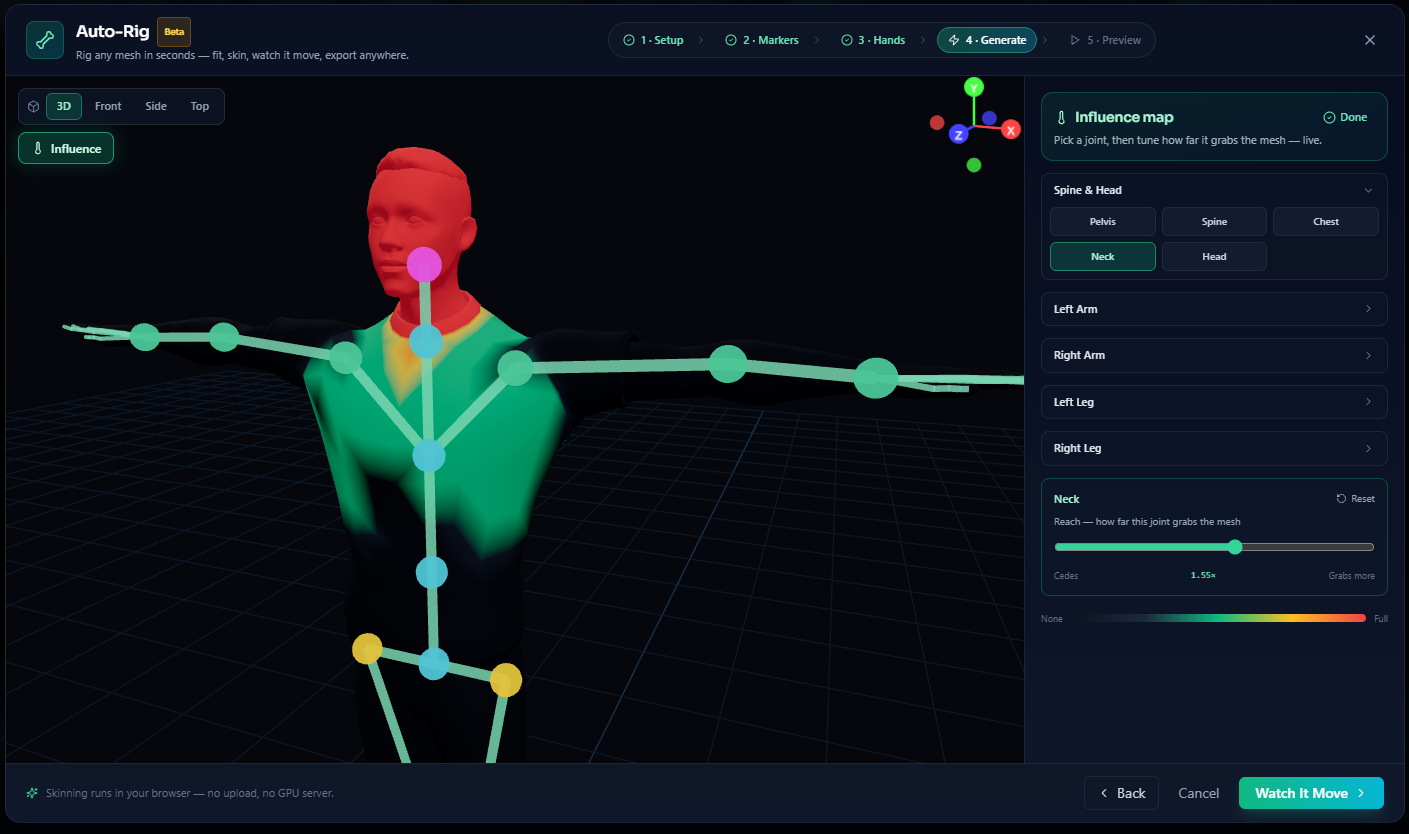
🌡️ See the weights, tune them live#
Binding skin weights is usually a black box. You bind, you bend, you discover the shoulder is dragging the neck along with it, and you go back to repaint.
Auto-Rig gives you a live Influence Map instead. A green-to-red heat map shows exactly which vertices each bone is pulling, with no bleed between regions — and per-bone Reach sliders let you dial how far a joint's influence extends, in real time, right on the model. You're not guessing. You're watching the weights and adjusting them with your eyes open.
🏃 Watch it move — on your mesh#
Before you commit, you test. Auto-Rig plays motion on your own character right inside the rig flow — Idle, Walk, Sit, Jump — so you can see your mesh deform under real animation and confirm the bind is clean before anything lands.
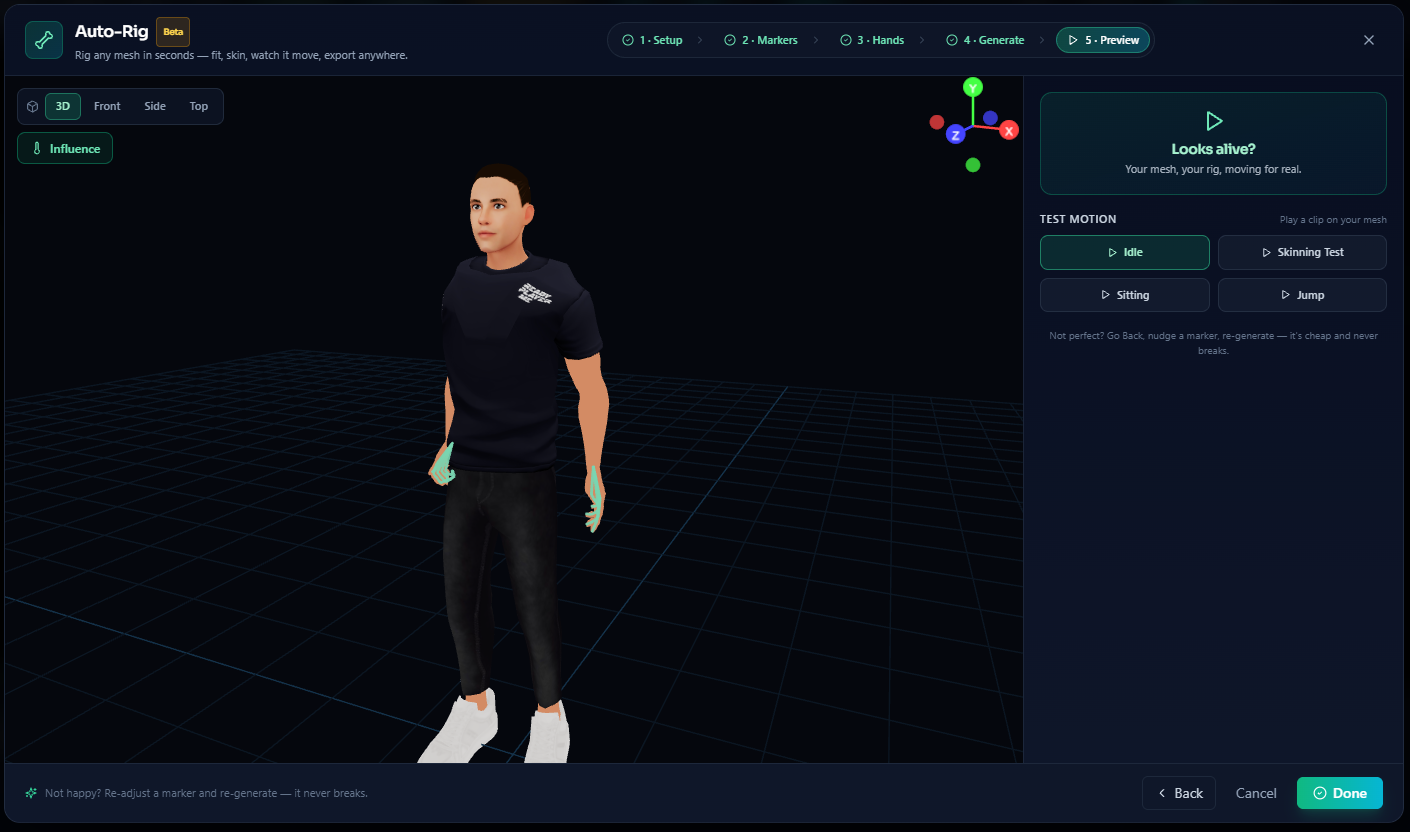
Happy with it? Hit Done, and your fully rigged avatar lands in the editor — on the grid, textured, hand- and foot-IK capable, with a live REC timeline. From static mesh to riggable character without touching a single bone handle.
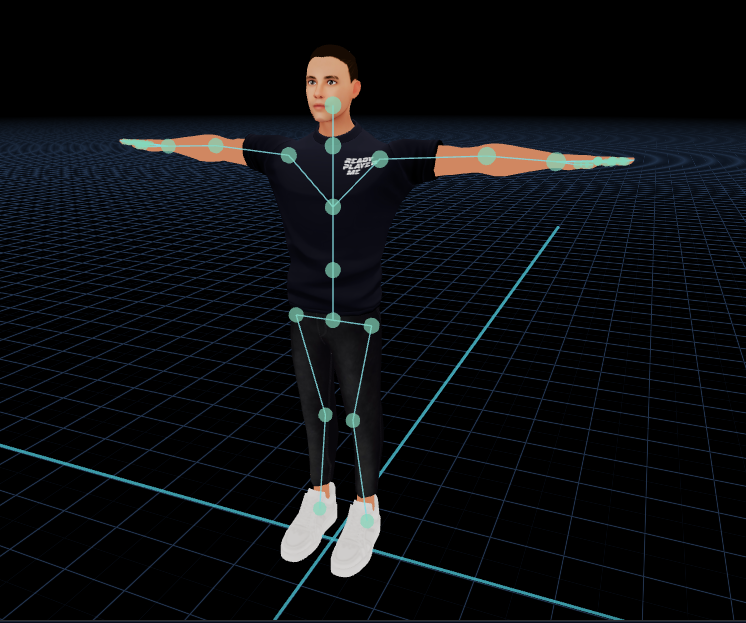
Auto-Rig is in Beta, and right now it's happiest with a clean T-pose. We're widening that fast — but even today, a T-pose humanoid goes from static to animation-ready in the time it takes to read this paragraph.
🚪 The door, not the destination#
Here's the thing about Auto-Rig: it isn't a one-off tool you bounce out of. It's the front door of an ecosystem. The moment your character is rigged, the entire Kinetiq pipeline opens up — all in the same browser studio, all on the same rig.
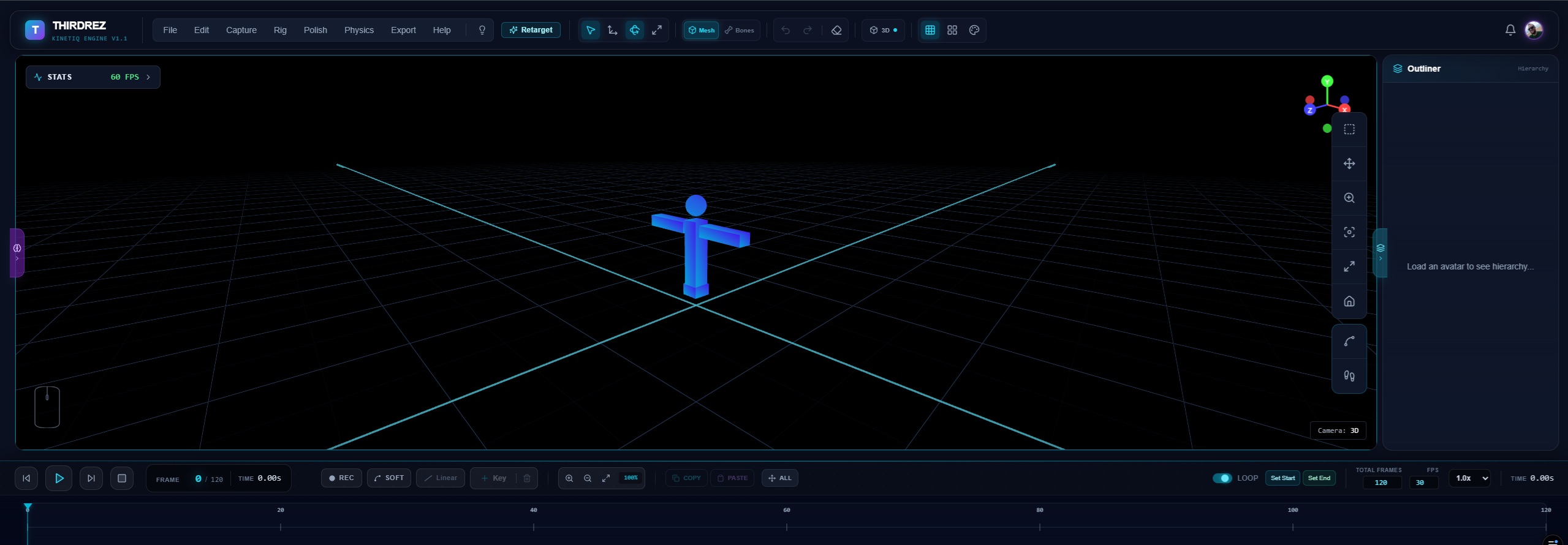
🎥 Continue with mocap#
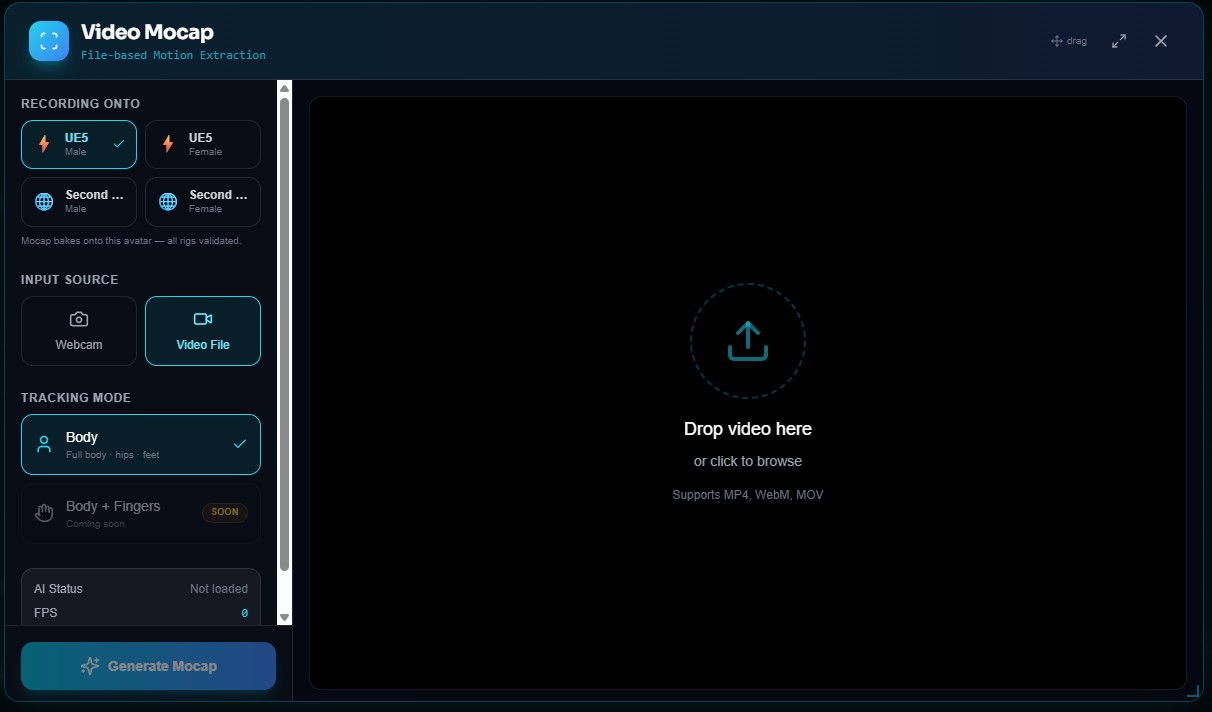
Bring your character to life with Vision Capture — live video and webcam motion capture, powered by an in-browser pose AI. Stand in front of your camera and your rigged mesh moves with you. No suit, no markers, no studio.
🤖 Generative motion is on the way#
Amanda Co-Pilot — prompt-to-motion, generative AI animation — is currently in training. We'll be straight with you: it isn't live yet. But it's coming, and when it lands you'll describe a motion and watch your rig perform it.
✍️ Animate by hand#
Prefer the keyframe craft? The full editor is yours: timeline, keyframes, IK, and onion skinning, plus Polish (foot-locking, smooth, loop fixer) and Physics (jiggle, quality score) to take a rough pass to production-clean.
🔁 Retarget from anywhere#
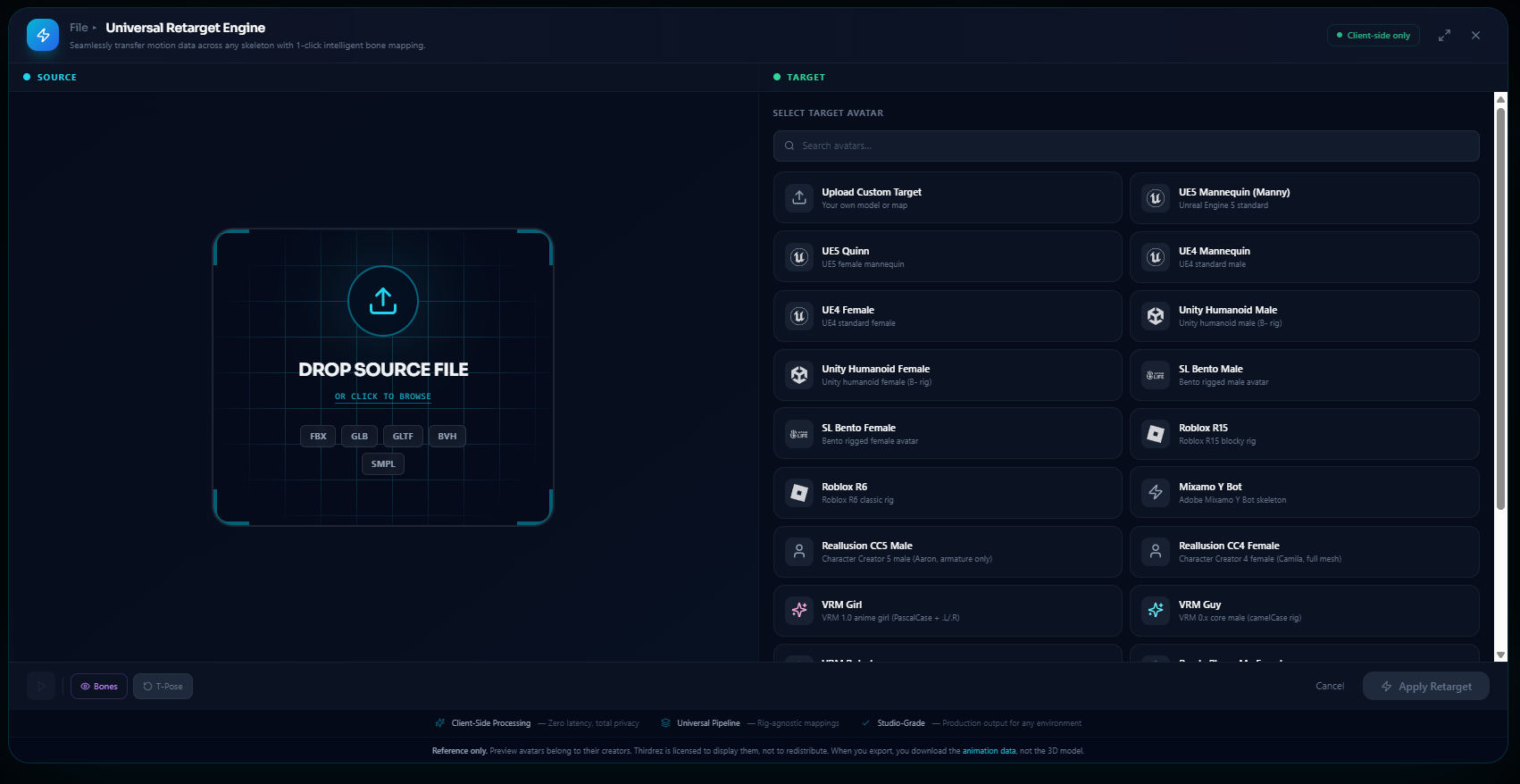
Drop a Mixamo clip — or any clip — and bake it straight onto your rig with the Universal Retarget engine. It speaks 10+ targets: UE5, Unity, Roblox, Second Life Bento, VRM, Ready Player Me, Daz, CC4, Rokoko, and Move AI.
📦 Export anywhere#
When it's ready to ship, export to FBX, GLB, BVH, or Second Life .anim — all client-side, all from the same browser tab you started in.
Rigging used to be the thing that stopped people. Now it's the thing that starts them. Static mesh in. Animation-ready character out. Then keep going — mocap it, animate it, retarget it, ship it.
🚀 Try Auto-Rig today#
Auto-Rig is live in Kinetiq Engine right now — free to try, no account required to take it for a spin. Drop a humanoid mesh and watch the wall turn into a door.
- 🦴 Rig your character now: app.thirdrez.com/kinetiq
- 📖 Read the Auto-Rig docs: doc.thirdrez.com/docs/kinetiq-engine/auto-rig
- 🎥 Explore the full pipeline: thirdrez.com/kinetiq · thirdrez.com/mocap
- 💳 See plans & export tiers: thirdrez.com/pricing
- 📋 View the Official Changelog: thirdrez.com/changelog
We are ThirdRez Labs. We build the tools. You own the future.